3.1 WEM3162 Quickstart
3.2 WEM3080 Quickstart
3.3 WEM3162T Quickstart
3.4 WEM3080T Quickstart
4.1 Hardware Introduction (Single Phase)
4.2 Hardware Introduction (Three Phase)
4.3 WiFi Setup
4.4 Monitor by Iammeter
4.5 Local Monitoring
4.6 Firmware Upgrade
4.7 Set Your Power Tariff
4.8 View Data by WeChat
4.9 Alert and Notification
4.10 Share your Site
4.11 Agent Function
4.12 Quick View of Energy and Bill
4.13 Set Billing Date
4.14 Analysis: Billing Report
4.15 Analysis: Energy Consumption Analysis
4.16 Analysis: Load Analysis
4.17 Analysis: Abnormal Data Analysis
4.18 Create Account for Your Users
4.19 Feedback and System Notification
4.20 Energy and Bill Forecast
4.21 Set the Time Zone
4.22 Total Saving Report of Solar PV System
5.1 WEM3080 DataSheet
5.2 WEM3080T DataSheet
7.1 Apply in Solar PV System
7.2 Use a GPRS Modem
7.3 Integrate with PVoutput
7.4 Integrate with Third-Party Server
7.5 Integrate with Solax Portal
7.6 Double CT Solution
8.1 Monitor your Solar PV System
8.2 Monitoring QuickStart(WEM3080)
8.3 Monitoring QuickStart(WEM3080T)
8.4 Overview of Solar PV system monitoring
10.1 Integrate with HomeAssistant
10.2 Integrate with openHAB
10.3 Integrate with NodeRED
10.4 Home Assistant & Grafana
11.1 Quick Start
13.1 Latest Update

Use a GPRS Modem

1. Introduction

We have GPRS modem (Model: Elfin-EG11), which is used with our WiFi Energy Meter together for the users to install the WiFi Energy Meter to where there is no WiFi network coverage. The users can use GPRS modem to read and tranfer the meter's data to our cloud via GSM/GPRS network. We already set the configuration, so you will not need to do any configuration. Just insert the SIM card, power on it and then it will work.
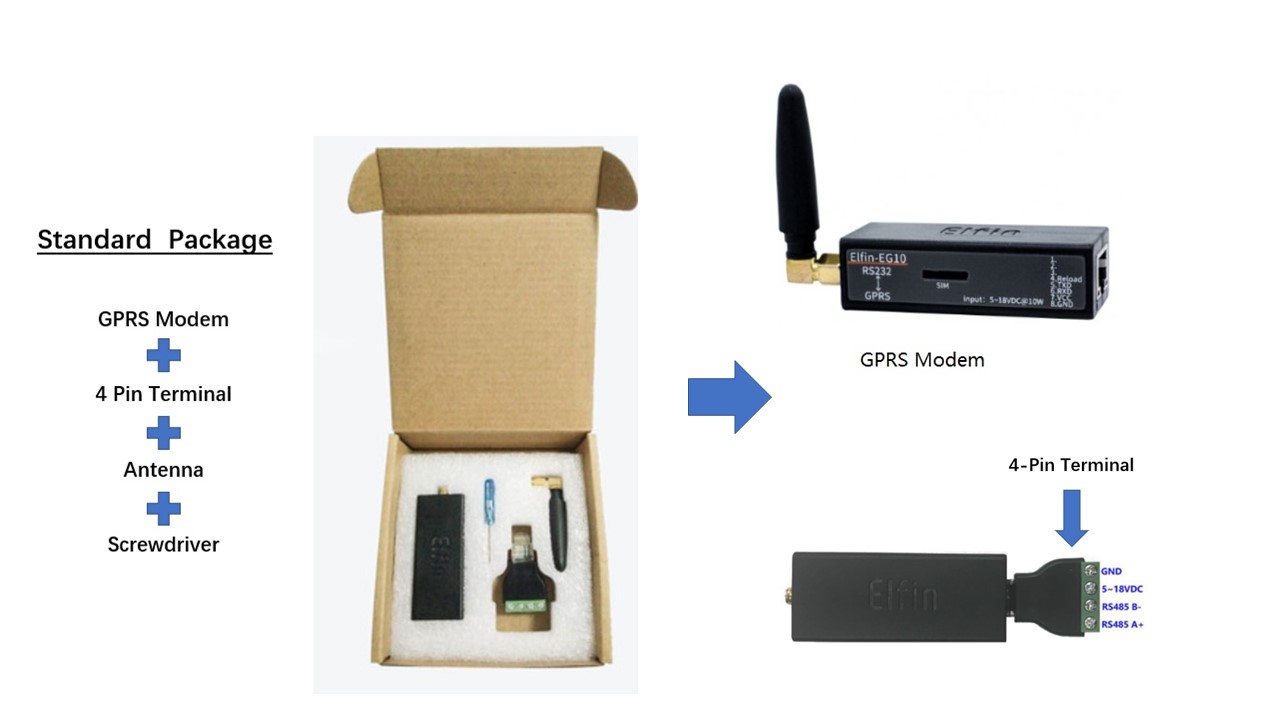
2. Product Pictures

Solar System application

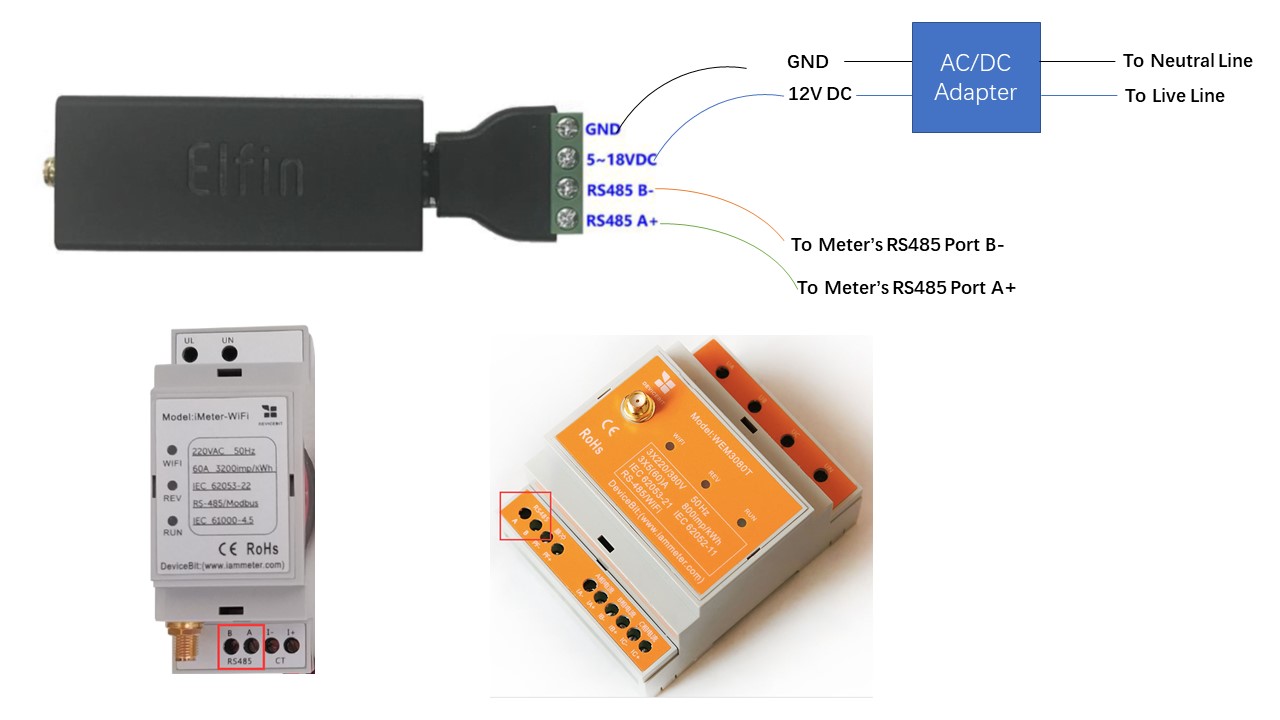
3. Wiring Diagram

See below picture for Wiring Diagram. You need to buy an AC/DC adapter by yourself.
4. Add the meter on Iammeter

If you use GPRS modem to upload the WiFi energy meter's data to our cloud. You need to add the meter by using the SN of GPRS modem, not the meter's SN. You can get the SN by checking the SN label attached on GPRS modem. Normally the SN consists of 16 digitals.

5. How to buy

Click here to buy on Alibaba

Note

If you have a WeChat account, please follow our IAMMETER WeChat public ID.

iammeter.jpg